Practical work, built for real use.

A site is only useful if it helps a business operate better. I focus on the parts people actually need: clear pages, simple navigation, working forms, and the systems behind them.

The case study below shows the kind of work I build and maintain, with a focus on practical field-based businesses.

Rootstack Digital Logo
Selected work

One live example of the kind of work I build.

Essence of the Tree

E-commerce nursery site with a structured product catalog, shipping logic, and ongoing operational updates.

Planting Wizard

Registry-driven Japanese maple guidance tool with in-stock browsing, deterministic fit checks, and a Shopify-ready frontend path.

Build Approach

Clean layout, direct copy, and the practical backend pieces needed to keep the site functioning after launch.

Digital Systems

Simple pages that stay organized and connected to the business. One example is the custom Shopify shipping app I built for Essence of the Tree.

Case study

Custom Shopify shipping app for Essence of the Tree

A shipping system built for live checkout rates and real order data.

For Essence of the Tree, I built a custom Shopify shipping app that estimates checkout rates from cart contents and destination instead of relying on a flat rule.

The app reads tree size counts, expands bundle products into their underlying size mix, applies zone rules, and returns carrier-service rates that Shopify can use at checkout.

  • Detects size 2, size 3, and size 4 tree counts from cart items
  • Expands bundle products into size-based component counts before pricing
  • Returns EoT Shipping - Ground and EoT Shipping - UPS 3 Day
  • Uses historical order data to keep the rate model grounded in actual shipments
Open the live site →
What it includes

The app and the surrounding workflow

The shipping app is more than a rates endpoint. It also includes the tooling around it: carrier-service registration, order metafield writeback, and retraining exports.

  • Checkout-rate endpoint for live shipping quotes
  • Cart parsing and bundle expansion for size-based counts
  • Box selection, zones, and service-level pricing
  • Order writeback and retraining exports for follow-up

That is the kind of digital systems work I do: build the thing behind the storefront, then keep it tied to real operations.

Case study

Planting Wizard: Interactive Plant Recommendation Tool

A Shopify-ready tool for practical Japanese maple fit checks.

The Planting Wizard helps customers check whether a Japanese maple fits their USDA zone, available space, exposure, and site conditions.

The current version is driven by a normalized operational catalog, separated reference cultivars, inventory availability, and conservative rule data.

  • Uses a canonical cultivar registry plus operational catalog data
  • Overlays in-stock availability for browse and recommendation flows
  • Separates customer-facing cultivars from an opt-in reference library
  • Runs Guided Finder, Check a Cultivar, Browse Cultivars, and Reference Library views in a static frontend
View the case study →
Key features

Registry-backed recommendations with clear limits

This project turns EoT's cultivar registry, inventory data, partial rules, and reference records into a client-side decision tool that can be embedded without a server dependency.

  • Normalized catalog data with 326 operational records
  • 311 conservative rule records plus 30 separated reference records
  • EoT-styled frontend prototype suitable for a Shopify SPA island
  • No server-side processing or runtime AI for the demo path

The goal is simple: turn nursery data into a practical decision path while keeping data coverage and horticultural limits visible.

Adjacent work

More of the backend and content work that tends to sit beside a website.

Inventory quantities

Keep inventory accurate with quantity-only updates for existing variants and a separate exception path for missing items.

Catalog SEO and alt text

Keep large catalogs readable and consistent with live title, meta description, and image alt-text updates.

Article schema

Keep content pages clear to both people and machines with guarded schema deployment and reviewable markup changes.

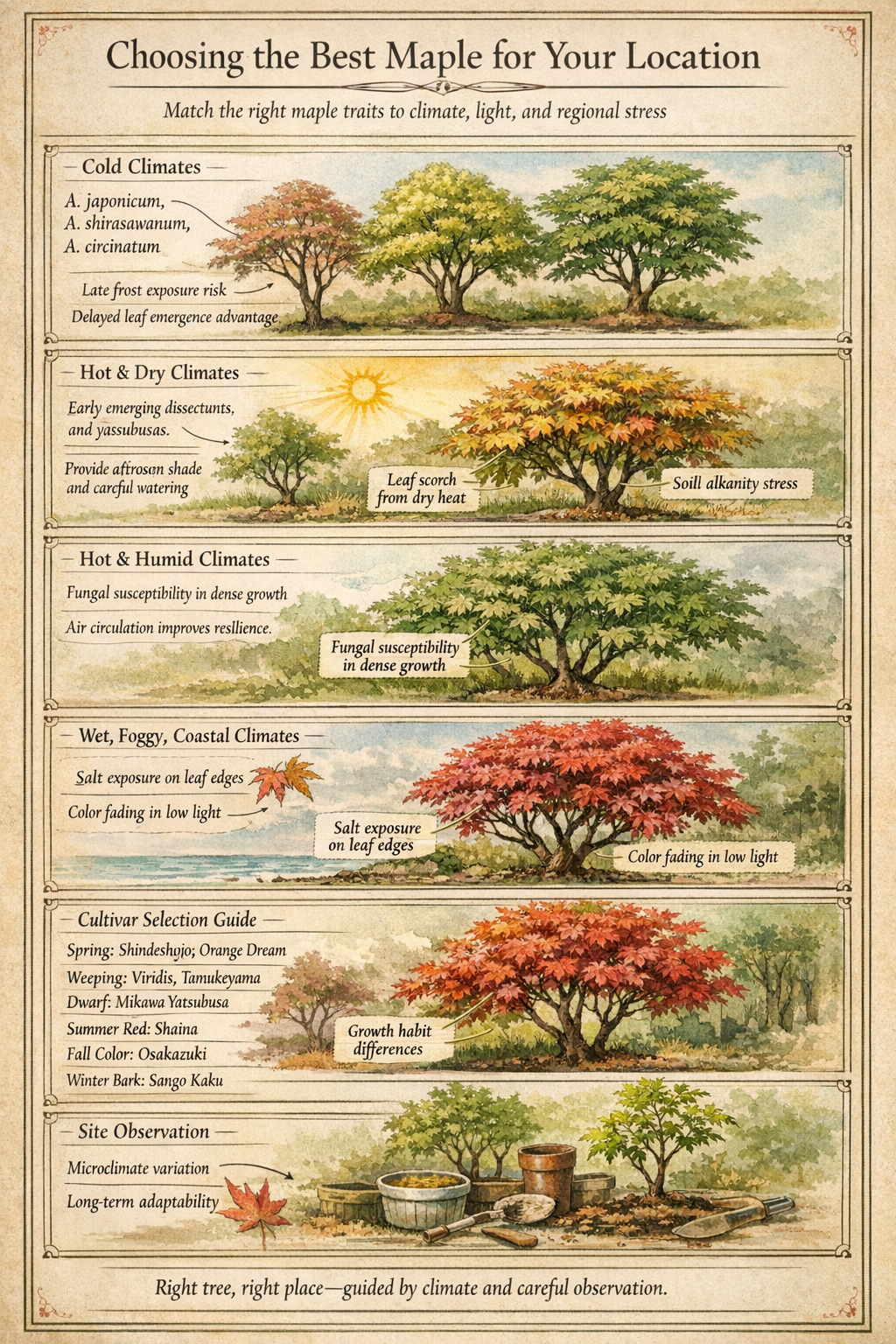
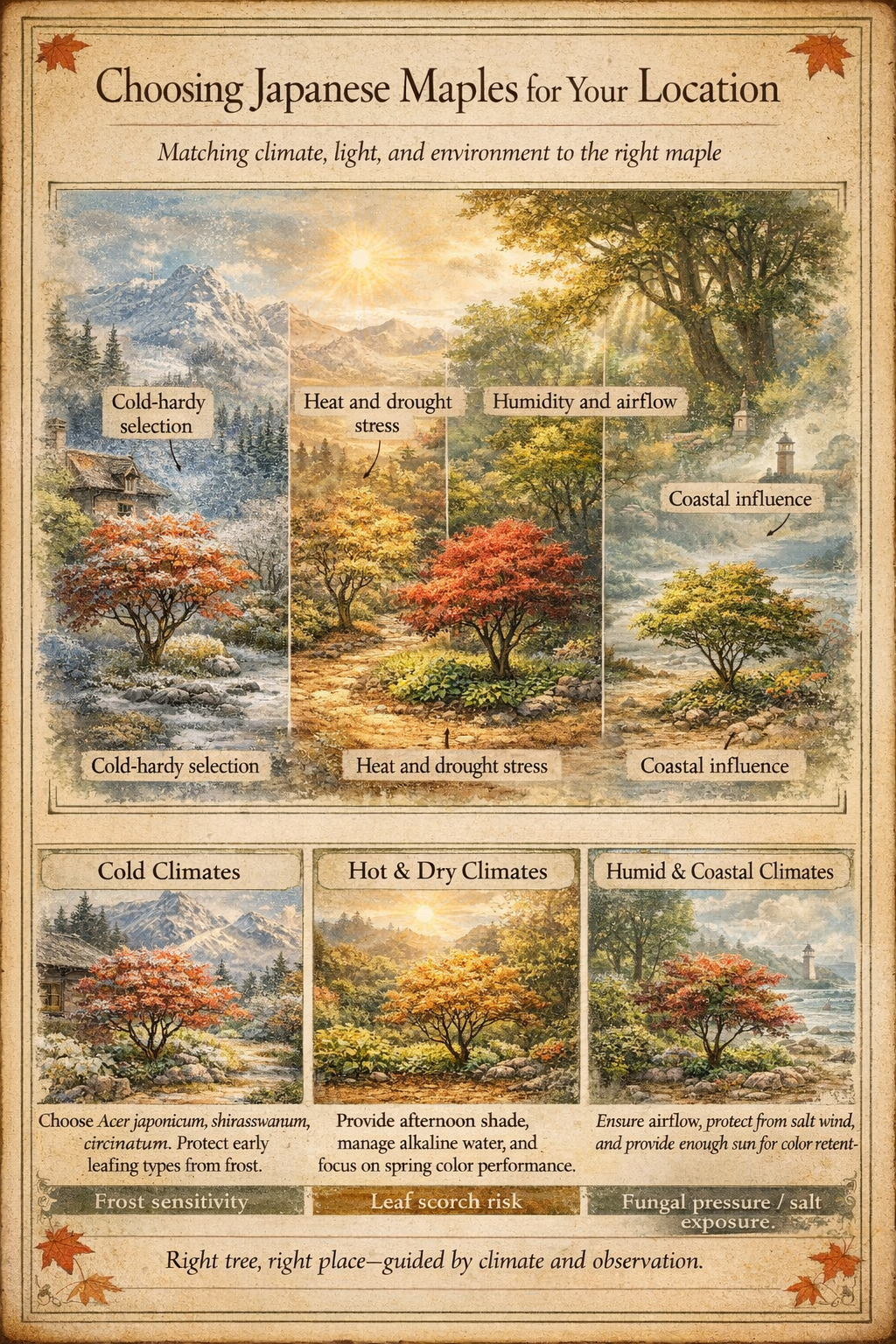
Infographic study

Two approved versions of the same article asset.

Source article

Choosing the Best Maple for Your Location

This article is the source material for both infographic versions below. The point is to show how one educational article can be translated into a visual asset with different levels of structure.

The live article is here:

Open the article →
Version 1
Infographic version 1 for Choosing the Best Maple for Your Location
A broader, more pictorial pass that groups the advice by climate and site conditions.
Version 2
Infographic version 2 for Choosing the Best Maple for Your Location
A more structured pass that breaks the guidance into stacked climate sections and a clearer decision flow.

I’m keeping both versions visible because they show the editorial process clearly: one article, two visual treatments, same source, different structure.